The ICD Guide to Challenging Disorganization: Review and Giveaway!
I should start this review off with a full disclaimer: as the outgoing marketing director for the Institute for Challenging Disorganization (ICD), I am not an objective reviewer. Not remotely.
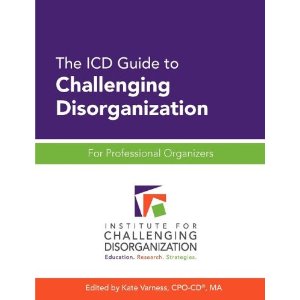
I want to make sure that the professional organizers among my readers knows about this amazing resource, The ICD Guide to Challenging Disorganization: For Professional Organizers, published by the ICD earlier this year. It’s an excellent compendium of information written for professional organizers, by professional organizers (and other experts), about working with clients who are challenged by chronic disorganization.
The 354-page book is comprised of 82 articles written by 32 experienced professional organizers and related professionals. It is the first book to comprehensively examine chronic disorganization in the context of physical and mental health conditions.
Much of the material first appeared as teleclass handouts. All this material has been reviewed and updated. New material was also written for the book, which was edited by Kate Varness, CPO-CD®, ICD’s outgoing director of services to the public and incoming director of education. (The board changes on July 1.)
The book is divided into three parts:
Part I: Identifying and Understanding Chronic Disorganization
Part II: The Professional Organizer’s Role
Part III: Working with Chronically Disorganized Individuals
If you’re a professional organizer, but not subscriber to ICD, this information is a gold mine. I encourage you to buy the book (or win a free copy here!) and devour it.
If you are a subscriber to ICD, some of the information in the book will be familiar—and you’ll get an important refresher. I guarantee there’s plenty to learn in the book, even for veteran ICD subscribers. The great part is that all this information is now in one place.
The book is available for purchase via Amazon. It sells for $42.95
I’m giving away a copy to one lucky reader! To enter, simply make a comment on this blog post. You can receive an additional entry by tweeting about the giveaway. (Be sure and use @janinea in the tweet, so that I will see it.) You can receive another giveaway entry by writing on the wall or commenting at the Peace of Mind Organizing Facebook page. The contest ends at noon, central time, on Wednesday, June 26. The winner will be notified on Thursday, June 27 and I’ll announce the winner here on the blog that day as well.
Another chance to Simplify Your Life with Habits + Routines
In 2011 I created and taught a fun online workshop for Simplify 101 called Simplify Your Life with Habits + Routines. I’m delighted to announce that it’s being offered again, for the third time. This session runs from July 19 through August 16. You can sign up now and get early-bird pricing (20 percent off!) through June 26.
My friend and colleague, Aby Garvey, owns Simplify 101 with her husband, Jay. They put on a variety of online organizing workshops. (I’m honored to be their first guest instructor.) Believe me, they run a top-notch operation. What makes Simplify 101’s expert-guided workshops special is that on top of excellent information, students can interact with the instructor and one another in online forums.
When you sign up for this workshop, you’ll get three lessons, released a week apart. Each lesson is available to be read on the website, or as a pdf, or as an mp3. Your choice. And you also get access to the glorious forums where you’ll not only have the chance to ask me questions but also gain encouragement and wisdom from your classmates. It’s a very special arrangement, if you ask me.
In Simplify Your Life with Habits + Routines I’ll be helping students identify good habits they already have, ones they’d like to create, and figure out how to link habits together to form simple routines. I’ll also be helping students let go of habits that are less desirable.
If you’re a regular reader of my blog, you know that I’m all about habits and routines as a way of making life run more smoothly. If you’re intrigued about how to harness the power of great habits and routines, I urge you to sign up for this online workshop!
Taking the show on the road (to Portland)
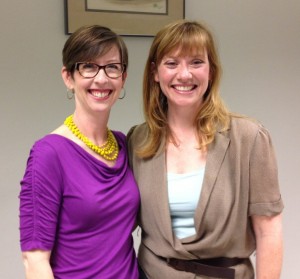
Photo by Ray Marklin
In April, Shannon Wilkinson and I taught a three-hour in-person workshop in St. Louis called Create Freedom and Ease with Habits and Routines. (That’s us, at the worshop, in the picture at left.) It was very successful and we enjoyed it so much we wanted to do it again. So now we’re offering it in Portland, Oregon, where Shannon lives, on Friday, August 3.
If you’re in Portland, I encourage you to check it out. You can get all the details, and register for the workshop, on Shannon’s website.
Sometimes I feel like a broken record (it just occurred to me that anyone under 18 probably doesn’t understand where that expression came from) when I talk about the importance of good habits and routines. It’s just that they can be so life changing. When you have good habits and routines in place, you get things done. And that’s great. But here’s the really great part: you get things done without effort or resistance.
I believe in making things as easy as possible. Having great habits and routines is the way I accomplish that in my life. Come to the Portland workshop and learn more! (If you don’t live in Portland, have no fear. You can still learn from me about the magic of habits and routines in my Simplify 101 online workshop!)
Things to consider before adopting a pet
This Saturday from 10 a.m. to 2 p.m., the Saint Louis PetLover Coalition is sponsoring a regional pet adoption event at over 20 locations across the metropolitan area.
If you’ve been thinking about adopting a four-legged family member, this is a great opportunity to meet all sorts of pets. While you’re there, you can pick up a Places for Pets map that shows pet-friendly destinations around St. Louis. (You can also download one.)
But I advise you to give that decision some careful consideration. Adopting a pet should not be an impulsive decision. My husband and I have a friend who is looking to rehome a dog, whom she adopted when he tugged on her heartstrings a few years ago. She’s fond of him, but her travel-heavy lifestyle is not amenable to pets.
So here are some questions to ask yourself before adopting a pet:
- Am I away from home more than nine hours a day? (If yes, a dog might not be right for you)
- Do I have disposable income to spend on a pet? (Even a healthy pet can be expensive to feed and care for. And if the pet becomes sick, watch out.)
- Do I travel a lot—more than a couple of weeks a year? (If yes, boarding is expensive and extensive boarding may not be fair to the pet. Of course, perhaps you can take your pet with you!)
- Do I want to be responsible for an(other) absolutely dependent being?
- Am I ready for my household to be disrupted, at least for a little while?
- Do I have the patience to train (and, potentially, housetrain) a new pet?
- Am I okay with handling animal feces? (No matter what species of animal you have, dealing with poop is part of the job.)
If you’re ready for a pet, by all means do your research and get one that will fit in with your lifestyle. Please don’t adopt a pet because you feel sorry for the animal at an adoption event.
In case I’m coming across as anti-pet, I want to make it clear that I am huge pet lover. My pets have brought me some of my dearest friends, including Shannon Wilkinson and Sally Brown. My first poodle, Kramer, inspired a new career (as a pet writer, which I did for ten years). I think pets are a great thing. I just also think they’re huge responsibility, not to be taken lightly.
Kudos to the Saint Louis Pet Lover Coalition, which works hard to promote responsible pet ownership and decrease euthanasia.
An easy (and touching) way to help those in need
At the 2011 NAPO conference, I was among the many who shed tears watching the video about Soles4Souls a non-profit group that collects shoes to deliver to shoeless people in Haiti and elsewhere. That year, NAPO honored Soles4Souls with its Organizing Excellence Award, for the incredible organizational effort behind the shoe collection and distribution.
At that conference, NAPO also announced its partnership with Soles4Souls to collect unwanted shoes for the group. Organizers from around the country stepped up and collected over 100,000 pairs of shoes in just eight months.
The partnership continues, which is how I learned about this video and song, The Choice, created by Billy Gillman and 18 top country artists (including Reba McEntire, Kenny Rogers and LeAnn Rimes), to benefit Soles 4 Souls.
I’m not a big fan of modern country music, but I am a big fan of charity group songs (We Are the World, anyone?) and once again I choked up watching a Soles 4 Souls video.
Here it is:
The best part? If you download the song at iTunes for $1.29, you’ll donate a pair of shoes for someone who needs it.
Incidentally, if you’re in St. Louis, NAPO St. Louis has taken on an alternative shoe collection effort. Locally, we have The Shoe Man Water Projects, which collects shoes that are sold to an overseas reseller, with the proceeds going to fund water-well drilling in Africa and elsewhere. We’ve set a goal of collecting 5,000 pairs of shoes by October. If you have any shoes to donate, feel free to contact me and I can give you details or figure out an easy way for you to do so.
Two dozen product reviews!
Getting organized is not about buying products. It’s about letting go of excess, setting up systems, creating new habits and routines. Organizing products can help. Like most organizers, I recommend purchasing products after the decluttering process, when you know what you need.
With that disclaimer out of the way, don’t you just love organizing products? I do! I’m in heaven strolling through the aisles of The Container Store, and I’m not ashamed that some of the employees of the local Container Store know me by name.
Every month, Janice Barclay of Organized Assistant publishes a Professional Organizers Blog Carnival. She solicits entries from POs who blog, organized around a monthly theme.
This month’s theme is Product Reviews. (I’m included, with my review of the Travel Jewelry Organizer from Clos-Ette Too.) I am eagerly looking forward to reading all 24 (two dozen!) product reviews included in the blog carnival. I’m quite confident I’ll learn about some cool stuff!
If you like products as much as I do, you might want to check it out yourself.
The organized purse
I love my purse, which I purchased at Franklin Covey. I love that I can find what I want in it without searching. Everything has a place, due in large part to the Purse Perfector, the purse organizer that sits in the bottom of my purse and keeps everything close at hand.
This morning, I did a segment on purse organizing on Great Day St. Louis, a live morning talk show here in St. Louis. I got there nice and early to set up the props for the segment. As I chatted with fellow guests before the show (all women), each one of them—along with some of the female show production staff—oohed and ached over my Purse Perfector. It was a hit!
Here’s the video of the segment.
(My part ends at the 3:25 mark.)
I love being interviewed by Carol Daniel. She is so much fun. And she could probably use a Purse Perfector!
Search
Recent Posts
- Worth repeating: Figuring out what to watch on TV
- The power of incremental progress
- Podcast guest spot on the role of organization for folks with chronic illness
- No excuses series (part 3): "It was a present"
- No excuses series (part 2): "I paid a lot for that item"
- No excuses series (part 1): "But I might need it!"
- Retiring the New Organizer Guides
Tags
About Janine
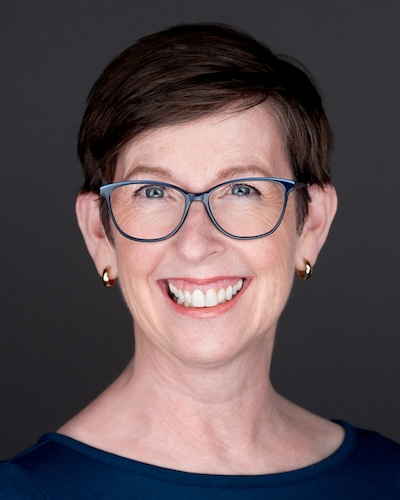
Hello! I’m Janine Adams — a certified professional organizer based in St. Louis, and the creator of Peace of Mind Organizing®.
I love order, harmony + beauty, but I believe that the way that you feel about yourself and your home is what truly matters.
If you’re ready to declutter with a purpose and add more ease to your life, you’ve found the right blog — and you’ve found the right company.
read more »Links
- NAPO St. Louis
- Institute for Challenging Disorganization
- Are you interested in becoming a professional organizer?
- Peace of Mind Spending
- Getting to Good Enough podcast
- National Association of Productivity and Organizing Professionals
- Ravelry
- Shannon Wilkinson, life coach
- Organize Your Family History